Skip to the tool

Monitor Size Comparison

Draw two or three screens side by side at true relative scale, then check whether they fit your desk and how far back you should sit.

Popular comparisons

Screens

Screen A
Screen A
Size by
Diagonal size

The lit-up display area only, in landscape orientation. Device bodies, rounded corners and bezels are excluded.

Setup
Orientation
Panel layout

A stack needs desk depth rather than desk width.

Resolution is optional and only used for pixel density.

Screen B
Screen B
Size by
Diagonal size

The lit-up display area only, in landscape orientation. Device bodies, rounded corners and bezels are excluded.

Setup
Orientation
Panel layout

A stack needs desk depth rather than desk width.

Resolution is optional and only used for pixel density.

To scale

Relative scale is exact. Your screen isn't calibrated for life-size. Measurements describe the active display area, not the chassis or bezel.

Verdict

32″ 16:9 has 40% more screen area than 27″ 16:9.

Active display area only. Bodies, bezels, rounded corners and notches are excluded.

    Desk fit

    The gap between panels counts against your desk.

    cm

    Desk width in centimetres. Leave empty to skip the fit check.

    cm

    We warn when it's shallower than the relaxed viewing distance.

      Measurements

      Pixel densityPixels per inch. The same resolution spread across a bigger panel reads visibly softer.Viewing distanceThe range runs from immersive (the screen fills about 40° of your view) to relaxed (about 30°). A guide based on screen width, not a rule.Aspect ratioWidth to height. A 34″ 21:9 ultrawide and a 34″ 16:9 screen share a diagonal, but the ultrawide is wider, shorter, and has less area.

      Share this comparison

      The whole comparison lives in the page link. Nothing is uploaded and nothing is stored on a server.

      What you can rely on

      Exact geometry

      Width, height and area come from the diagonal and ratio, not a table of guesses.

      Nothing stored

      No account, no upload. The link is the save file; recent links never leave this device.

      Works everywhere

      Same tool and same numbers on a phone, a tablet, or a desktop.

      What a monitor size comparison shows you

      A diagonal measurement tells you very little on its own. A 32″ monitor and a 24″ monitor are both sold as one number, and that number runs corner to corner, yet the panels come out 27.9 and 20.9 inches across. Nobody measures a monitor with a tape measure before it arrives, and the gap between two sizes stays hard to picture from a spec sheet.

      Diagonal on its own also hides the shape of the panel. A 32″ screen at 16:9 gives you 438 square inches of display, while a 32″ screen at 21:9 gives you 371. The same number on the box, a noticeably different amount of usable surface, because width, height and area are only pinned down once the diagonal and the aspect ratio are read together, so the tool asks for both and draws every screen at one shared scale rather than scaling each to fit. Switch the view to overlay to line the corners up, or to centimetres if that is how your desk is labelled.

      Try 24 vs 27 inch side by side
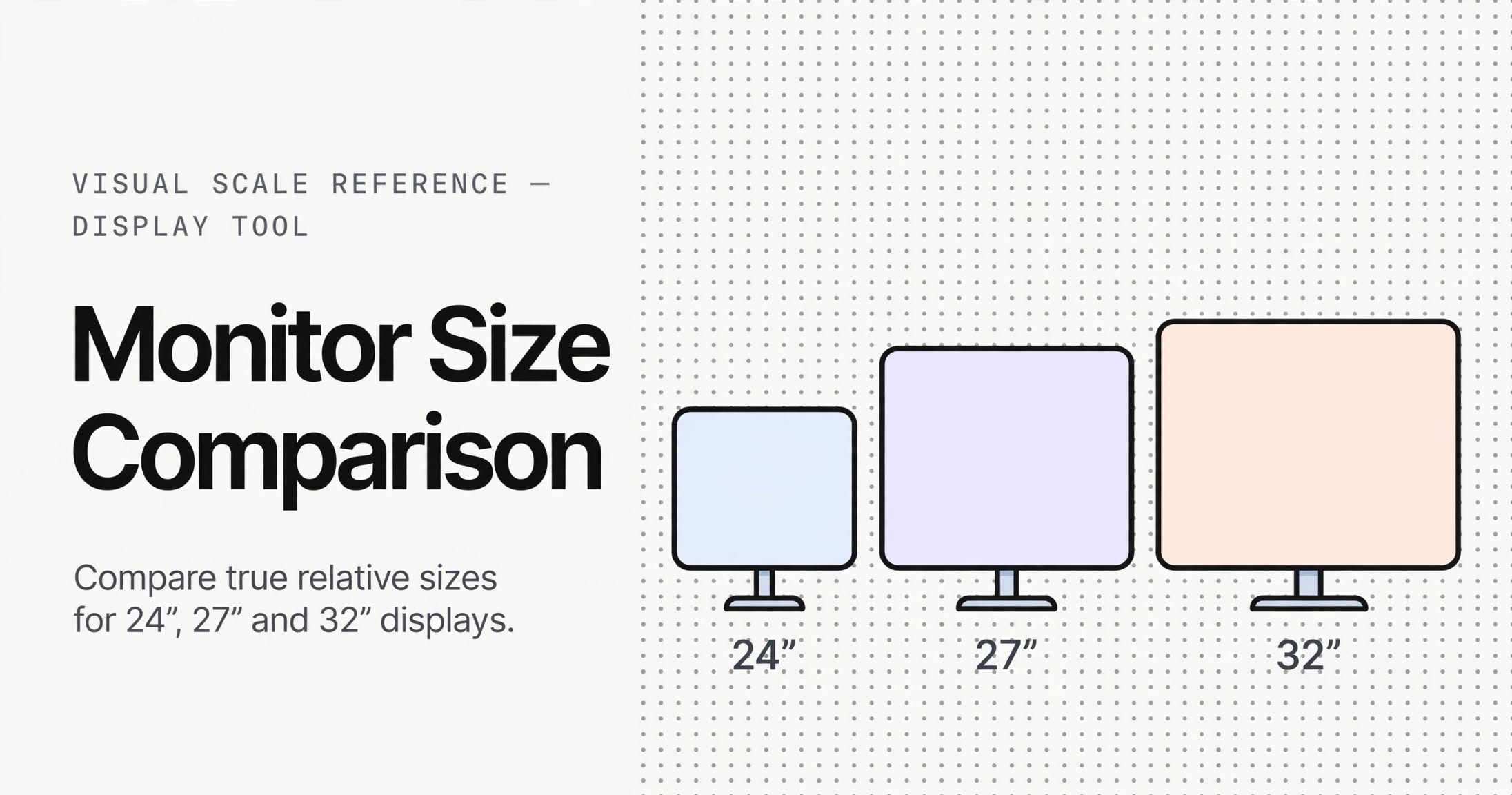
      Monitor Size Comparison card. Three monitors drawn at true relative scale: a 24 inch, a 27 inch and a 32 inch 16:9 display, each labelled with its diagonal.
      A 24 vs 27 vs 32 inch monitor size comparison chart. Each panel is drawn at true relative scale, so the growth in width matches what you would see across a desk.

      Monitor size comparison chart for common sizes

      These are the sizes people look up most, all at 16:9. Area is the column worth reading first, because it describes how much room you have to work with rather than how long the corner-to-corner measurement is. Viewing distance is the comfortable range, from an immersive angle to a relaxed one.

      Width, height, screen area and comfortable viewing distance for 22, 24, 27, 32 and 34 inch 16:9 monitors.
      DiagonalSize (in)Size (cm)Area (in²)Viewing distance
      22″19.2 × 10.8″48.7 cm × 27.4 cm20766.9 cm – 90.9 cm
      24″20.9 × 11.8″53.1 cm × 29.9 cm24673 cm – 99.1 cm
      27″23.5 × 13.2″59.8 cm × 33.6 cm31282.1 cm – 111.5 cm
      32″27.9 × 15.7″70.8 cm × 39.8 cm43897.3 cm – 132.2 cm
      34″29.6 × 16.7″75.3 cm × 42.3 cm494103.4 cm – 140.5 cm

      24 vs 27 inch monitor: the size difference in real numbers

      The 24 vs 27 inch monitor size difference is bigger than the extra three inches of diagonal suggests. Moving up adds 12.5% to the diagonal but 27% to the screen area, because the extra length lands on both axes at once. The 27″ panel works out 2.6 inches wider and 1.5 inches taller than the 24″, which is enough to fit a second document beside your work without shrinking everything.

      Resolution matters as much as size here. A 27″ screen at 2560 × 1440 lands near 109 PPI, which stays sharp at normal desk distance. Put 1920 × 1080 on that same panel and density falls to about 82 PPI, softer than the 92 PPI you get from 24″ at 1080p. Moving up in size without moving up in resolution buys a bigger picture at a worse one, which is the combination most people end up disappointed by.

      For office work and programming, 27″ at 1440p is the pairing that works. Individual pixels stop resolving past about 80.3 cm, so text still reads cleanly from a desk 70 cm deep. At 1080p on 27 inches that threshold stretches to 107 cm, and the softness is what you notice rather than the size.

      Load 27 vs 32 inch into the tool

      27 vs 32 inch monitor: where the step up stops being free

      The 27 vs 32 inch monitor size difference is the step people most often misjudge. The 32″ panel measures 27.9 × 15.7 inches against the 27″ at 23.5 × 13.2, so you gain 4.4 inches of width and 2.5 inches of height. That is 40% more screen area, and it changes how much you can keep open at once rather than how large the text looks.

      Desk depth is the constraint. A 32″ 16:9 panel wants roughly 132.2 cm of relaxed viewing distance, so on a shallow 60 cm desk you end up sitting closer than the screen was meant for. Enter your desk width and depth above and the tool reports both the fit and whether the depth leaves you room to sit back.

      Resolution decides how usable that width is. A 32″ at 1920 × 1080 gives about 69 PPI and needs 126.8 cm before pixels stop resolving, which is deeper than most desks. Move to 3840 × 2160 on the same panel and density reaches about 138 PPI while that distance drops to 63.4 cm. For gaming and general work at this size, 4K on 32 inches is the version that works.

      Compare 27 and 32 inch at true scale

      32 vs 34 inch monitor: 16:9 against ultrawide

      A 32 vs 34 inch monitor comparison is not two versions of the same thing, because the two sizes arrive in different shapes. The 32″ is 16:9 at 27.9 × 15.7 inches. The 34″ sold as an ultrawide is 21:9 at 31.3 × 13.4 inches: 3.4 inches wider, 2.3 inches shorter, and its height differs from a 27″ panel by less than half an inch.

      Area is where the two sizes stop looking comparable. The 34″ ultrawide carries 419 square inches against the 32″ at 438, giving up about 4% of the surface, and a 27″ at 16:9 beats it too at 312. A 34″ ultrawide is a reshaped 32″, not a larger one. If you only need width, the ultrawide wins. If you want area, compare 21:9 against 16:9 rather than reading the diagonal.

      The extra span is worth having for a wide document, a timeline or a racing cockpit view, since none of those fit the horizontal room a 16:9 panel leaves over. It also moves the comfortable distance out, from 97.3 cm to 132.2 cm on the 32″ up to 109 cm to 148.1 cm on the ultrawide.

      Compare a 32″ 16:9 against a 34″ ultrawide

      Dual monitors versus an ultrawide

      A dual monitor versus ultrawide comparison comes down to area and desk width. Two 27″ 16:9 panels give you about 623 square inches between them. A single 34″ ultrawide gives you 419, so the dual setup holds roughly 1.5 times the surface. It also costs more desk: about 120.3 cm for two 27″ panels against 79.4 cm for one ultrawide.

      The ultrawide answers that with continuity. It draws as one unbroken surface with no bezel crossing the middle, so a timeline or a single wide game fills it cleanly. Two monitors give you independent spaces, a real edge between them, and cables across the desk. For programming with reference material open alongside, that separation is usually worth the extra width, and it is the reason people run dual monitors rather than one wide panel.

      Three panels narrow the gap on area again. A triple 24″ setup reaches 738 square inches but needs about 160.9 cm of desk, and the two outer screens sit far enough round to the side that you turn your head to read them.

      Compare dual 27″ against a 34″ ultrawideorset up three 24″ panels

      Beyond monitors: laptops, phones and TVs

      Nothing in the geometry is specific to desktop monitors, so the tool takes a custom diagonal and a custom aspect ratio rather than a fixed list of screens.

      Laptop screen size comparison

      A 13.3-inch 16:10 panel measures about 11.3 × 7 inches, a 14-inch lands at 11.9 × 7.4, and a 15.6-inch comes to 13.2 × 8.3. Across that range the diagonal moves by two inches while the width moves by nearly two, which is the difference between a laptop you carry daily and one that stays on a desk.

      Compare 13″ and 15.6″ laptops

      Phone and tablet size comparison

      A 6.7-inch phone at 19.5:9 comes out around 6.1 × 2.8 inches, so the narrow ratio is what keeps it pocketable despite a large diagonal. An 11-inch 4:3 tablet gives 8.8 × 6.6 inches, which is where the jump to a much taller screen becomes obvious. Comparing the two diagonals tells you far less than looking at them side by side.

      Compare a 6.7″ phone with an 11″ tablet

      TV screen size comparison

      A 55 vs 65 inch television is one of the larger gaps on the page. The 55″ panel measures 47.9 × 27 inches, or 121.8 cm × 68.5 cm, and the 65″ comes to 56.7 × 31.9 inches, adding 40% more area. Width is the number that decides whether it fits, so measure the cabinet or the stand rather than the wall. A 43-inch sits at 37.5 × 21.1 inches if you want a starting point nearer a large monitor.

      Compare a 55″ and 65″ TV

      How the monitor size calculator works

      Width and height are solved from the diagonal and the aspect ratio, so any size and any ratio you enter produces a real panel rather than an approximation from a table of typical monitors. Pixel density comes from the resolution you enter and stays blank until you do, because a screen size on its own says nothing about sharpness.

      Viewing distance is reported as a range rather than one number. The near figure assumes an immersive 40-degree horizontal field of view and the far figure a relaxed 30 degrees, so the range covers both a leaning-in desk and a reclined one. Blend distance is separate: it shows how far back you can sit before a single pixel covers less than one arcminute, which is the threshold where text stops looking pixelated. It needs a resolution, and it is the number that tells you whether a desk is deep enough for the panel you picked.

      Multi-panel setups are measured as one piece of desk furniture. Two panels of the same size are counted at full area each, with a bezel gap added between them for the total width, because that gap is what stops the setup from fitting the desk. Nothing is stored: the whole comparison sits in the address bar, so the link is the save file. Copy the link, the text summary, or export the drawing as a PNG.

      Monitor size questions, answered

      Sixteen questions people ask before they buy, with the numbers taken from the same geometry the tool draws. Open one to read it.

      Is a 27 or 32 monitor better for office work?

      For most desks, 27 inches at 2560 × 1440. The panel measures 59.8 cm × 33.6 cm and stays comfortable from 82.1 cm to 111.5 cm, which an ordinary desk allows. A 32 inch screen gives you 40% more area and asks for 97.3 cm to 132.2 cm, so it earns its place on a deep desk or on a monitor arm that pushes it back. If your day is spreadsheets with two windows open and you can get your eye to screen distance past 97.3 cm, 32 at 4K is the better buy.

      Compare 27 and 32 at true scale
      Is a 32-inch monitor too big for office work?

      Desk depth decides this, not the number on the box. A 32 inch 16:9 panel measures 70.8 cm × 39.8 cm and reads comfortably from 97.3 cm to 132.2 cm. Sit on a 60 cm deep desk and your eyes land well short of the 97.3 cm it asks for, and your neck notices before the screen does. Give the panel that room, through desk depth or a monitor arm, and 32 inches is a normal office size. One thing to watch: at 1920 × 1080 that panel needs 126.8 cm before its pixels stop resolving, so pair it with 4K.

      Check 32 inch desk fit
      What's the best size for a monitor?

      There is no single answer, but 24 to 27 inches covers most people. 24 inches suits compact desks and single-app work. 27 at 1440p is the safe default for documents and code, and it is the size most people land on. Step up to 32 at 4K when you regularly keep two or three things open at once. Match the size to your desk depth and your resolution together, because a bigger screen running a low resolution is the combination people tend to regret.

      Does 4K look better on 27 or 32?

      On 27 it looks sharper, because the same 8.3 million pixels sit on a smaller panel: about 163 pixels per inch against 138 on 32. The 27 also sits closer, from 82.1 cm to 111.5 cm, so you get finer detail with less eye travel. What 4K buys on a 32 inch panel is different. It pulls the distance at which pixels stop resolving down from 126.8 cm to 63.4 cm, and that is what makes the extra width readable for text.

      Compare 27 and 32 at 4K
      Is 4K overkill for a 27 inch monitor?

      Not for sharpness. A 27 inch 4K panel runs at 163 pixels per inch and needs only 53.5 cm before a single pixel covers less than an arcminute, well inside a normal desk. The catch is that Windows scales 4K up, usually to 150%, and 3840 × 2160 at 150% gives a 2560 × 1440 desktop. That is the same amount of content as 1440p at 100%, drawn with four times the pixels, so the upgrade buys cleaner text and little else. Run it at 100% if you want the extra desktop space and can accept small type. For most people 1440p at 109 pixels per inch is the sensible buy, and 4K earns its place on photo and video work.

      Is a 34-inch monitor too big for work?

      No, though a 34 inch monitor is nearly always a 21:9 ultrawide, and that changes the fit. The panel measures 79.4 cm × 34 cm, which makes it 7.7 inches wider than a 27 while staying within 0.2 inches of the same height. The comfortable distance moves out to 109 cm to 148.1 cm. It pays off on a very wide document or a timeline. It is a stretch on a desk shallower than 80 cm, and a curved panel eases the edges at that width.

      See a 27 against a 34 ultrawide
      Which monitor size is best for eyes?

      No size is kinder to your eyes on its own. Comfort comes from viewing distance, brightness matched to the room, and breaks, and a large panel at the wrong distance is worse than a small one at the right one. Keep the screen about an arm's length away, set brightness so the screen is not the brightest thing in the room, and look at something far off every 20 minutes. Size helps in one practical way: more content at the same distance means less leaning in to read it.

      How much bigger is a 27 monitor than a 24?

      Bigger than the three extra inches of diagonal suggest. The 27 inch panel measures 23.5 × 13.2 inches against 20.9 × 11.8, so it is 2.6 inches wider and 1.5 inches taller, or 59.8 cm × 33.6 cm against 53.1 cm × 29.9 cm. In area the step up is 27%, more than the 12.5% you get on the diagonal, because the extra length lands on both edges. Width is the part you feel, since that is what decides how much fits beside your work.

      Draw 24 against 27
      Is 24 inches too small for a monitor?

      For email, documents and one browser window, no. At 1920 × 1080 a 24 inch panel is a sharp 92 pixels per inch and stays clean from 95.1 cm. It gets tight the moment you want a document beside your editor or two spreadsheets open, and the 27 inch panel's extra width is the reason people move up. On a small desk or a shared workstation, 24 is the right answer rather than a compromise.

      Is 22 or 24 inch monitor better?

      24 inches, and not by a small margin. It gives you 19% more area than a 22, which comes to 53.1 cm × 29.9 cm against 48.7 cm × 27.4 cm. Pixel density is close enough between the two at 1080p that the extra room reads as more visible work rather than finer text. A 22 inch panel still makes sense as a second screen, where the small size is the whole point.

      Compare 22 and 24
      Which monitor is better for work, a 24-inch or a 27-inch?

      For work, 27 inches at 2560 × 1440. It is wide enough for a document beside your work, and at 109 pixels per inch the text stays sharp from a normal desk seat. A 24 inch 1080p panel is a good, cheap choice for one task at a time, and it is denser in absolute terms at 92 pixels per inch, which matters if you like sitting close. The 27 gives you more room; the 24 asks less of your setup.

      Is a 34-inch ultrawide monitor bigger than a 27-inch monitor?

      Wider and shorter, not bigger. A 34 inch ultrawide at 21:9 measures 31.3 × 13.4 inches, so it is 7.7 inches wider than a 27 and effectively the same height. It does carry more area, 419 square inches against 312, about 34% more, and all of it comes off the width. That is why an ultrawide suits a wide document or a timeline and gives you nothing extra vertically.

      See 27 beside 34 ultrawide
      Is it better to have 2 27 inch monitors or 1 34-inch monitor?

      Two 27 inch panels give you about 1.5 times the area of a 34 inch ultrawide, 623 square inches against 419, and they cost more desk: 120.3 cm of width against 79.4 cm. Take the pair when you want separate spaces, a real edge between them, and reference material open next to your main work. Take the ultrawide when you want one continuous surface for a timeline or a wide game, and would rather not have a bezel running down the middle of it.

      Compare dual 27 against a 34 ultrawide
      How far should you sit from a 34-inch ultrawide monitor?

      From 109 cm to 148.1 cm for a comfortable view, and that is where the size causes trouble. On a 60 to 70 cm desk your eyes land much closer than that, so you end up turning your head to catch the outer thirds of the panel. A desk 75 cm deep or more, or a monitor arm that pushes the screen back and sits it slightly higher, is where a 34 inch starts to feel right.

      Which is better for gaming, a 24-inch or a 27-inch monitor?

      It depends on what you play. For competitive shooters a 24 inch panel at 1080p keeps the whole screen inside a tight field of view, so targets land in your central vision with less scanning. For everything else 27 inches at 1440p is the stronger buy: 109 pixels per inch and 27% more area. One combination to avoid is 27 inches at 1080p, where density falls to 82 pixels per inch and the pixelation shows on a panel that size.

      Compare 24 and 27 for gaming
      Which is better for gaming, a 27-inch or a 32-inch monitor?

      27 inches for most play. It holds 1440p at 109 pixels per inch and sits from 82.1 cm to 111.5 cm, which keeps the screen edges close enough to read without a lot of looking around. A 32 inch panel wants 97.3 cm to 132.2 cm to feel right, and at 1920 × 1080 it drops to 69 pixels per inch, so it only makes sense at 3840 × 2160 on a desk deep enough to take it. Go to 32 for single-player, racing and sims, where immersion matters more than reaction time.

      Compare 27 and 32